Friday, 29 February 2008

Epson 4800 printer nozzle clogging and cartridge pressure?

I have mentioned before that I am becoming convinced that the cartridge pressure or ink level in a cartridge on my 4800 has a major effect on the nozzle loss issues I repeatedly experience. Recent experience makes me a little surer...


As you may have seen in my previous posting I had considerable problems persuading my Magenta to reappear.

After several cleaning cycles and soaks it was stubbornly refusing to come back - the cartridge level was not worrying the printer, whereas during the process I had to change two cartridges (LK & LC) that were showing low and the printer would not allow me to run cleaning cycles until new ones were installed.

I decided to try installing a new Magenta cartridge and Hey Presto the very next clean it reappeared!

I can't think of any sensible explanation other than that the cartridge is not "pushing" ink through - if it were just air in the line or print head why would a new cartridge suddenly cure the problem?
Read more...

Epson 4800 printer nozzle clogging – new strategy report

Last time I blogged about my struggles with my Epson 4800 inkjet printer and its random loss of whole colours I had got fed up and decided not to molly coddle it, but to try the strategy of leaving it until I wanted to print a good amount of photos. So how did the new strategy work?


When I last tried to use the printer I failed to clear it in time to print what I needed to so left it with the LK, Y & C colours missing. At that point I updated the firmware and drivers, and then left the printer turned off for 17 days – untouched and unloved.

Then one morning I turned it on and ran a nozzle check – Now the M was missing as well, but not much worse than when I left it. I ran a puddle clean (I’ve posted my recipe for this on this blog) for 1.5 hours, followed by a cleaning cycle. M was still missing and half of Y, but the rest came back. Another 3 hours of puddle soaking and a cleaning cycle and Y was mostly back and some of M. I then left if in “fixyourownprinter” cleaning solution overnight. One cleaning cycle brought back M, but half of Y is still missing. I ran a colour patch print to see how it looked and then went back to soaking again…

After an overnighter it was not much better, so running out of time I left it again for a few days.

To save you the bother of reading all this again below is a screen shot of my spreadsheet records of what I did.


Double click on the image to expand it so that you can read it

Well you get the picture…

What a palaver… but no worse than usual when this happens, molly coddled or not.

I think that the new strategy is yet to be proven one way or another, but I don’t think it was any worse than if I had treated the printer kindly all this time, so the real test will be next time I leave it for some time – this time it will go into hibernation with all nozzles working perfectly.

I can see some significant effects from the new firmware:
  • The amount of ink used per nozzle clean seems to have reduced from around 14ml or 5ml to 9ml or 4ml - which should save lots of ink
  • I am asked whether I want to run an auto nozzle check when I turn the printer on rather than the power clean offer that it has always offered before
Read more...

Updating an Epson 4800 inkjet printer's firmware

As well as taking a new tougher strategy with the printer I have seen a few suggestions on the web that I ought to update the firmware for the printer as well.


I found and downloaded the new firmware version A00775 (my printer had the original as supplied firmware version A0045A), then read through the pdf instructions to find that I also had to update the driver to 5.52 or higher.

I updated the driver first, then ran the firmware update through the Epson LFP remote panel. It took a few minutes but there were no problems.

I then found that I had to update the System Monitor software as well to v.3.

All these downloads can be found on Epson.com's website

Has it made any difference – it is too early to tell, but …
Read more...

Thursday, 28 February 2008

Scheppach Lonos 2 garden shredder review

This is the third of four reviews I shall be posting on my experience with garden shredders.

After a good deal of research and seeing one demonstrated at The RHS Malvern Spring show I bought the Scheppach Lonos 2 electric garden shredder shown in the photo opposite in mid 2004. I have used it regularly ever since for around 40-60 hours of shredding a year, usually for several hours at a time. This review is based on my real life experience with it over the four years.


My purchase criteria were:
  • Able to shred soft as well as hard material
  • Reasonably quiet
  • Less than £350 (cheaper still if possible)
  • Robust and likely to have a good service life
  • Easy to move around the garden
I was not particularly interested in a massive solid wood shredding capacity as I cut anything much over an inch in diameter to use as firewood, so I did not buy the Lonos 3, which is essentially the same as the Lonos 2 but has a slightly larger motor and hence larger shredding capacity.

Scheppach is not a company usually associated with garden machinery – I knew it as a German producer of woodworking machinery. In 2004 there were few suppliers of the machine although I notice that there are many more now (2008) and it has featured well in newspaper group tests.

The specifications of the Lonos 2 can be found on the Scheppach web site, but it essentially met all my requirements – in theory at least.

The machine uses a low speed (39rpm) rotating cog cutter cutting against a counter rotating nylon wheel (as shown in the diagram) to chop material into short lengths (around an inch or 25mm in length), and can take material up to 40mm in diameter. Because the distance between the input slot and cutters is less than an arm’s length the input is quite restricted to stop anyone putting their hands into the shredder. This makes feeding the shredder more restricted than I would have liked, but has proved to be OK in use. The photo below shows the view from the top of the shredder, through the input down to the cutter with its nylon counter wheel (arrowed in the photo) – it shows the shape, along with the dimensions, of the input slot. The 40mm square usefully making sure that you can’t put in a round branch that exceeds the shredder’s capacity.


While it chops the material it is really designed to crush rather than cut the woody stems opening up more of the material to the composting action of bugs and microbes. Because it is low speed the shredder is quiet (it is rated by Scheppach at 82db) – it produces a low frequency “chugging” noise and does not get much louder when actually shredding. It has proved to be neighbour and user friendly for use hours on end – I suspect that “Lonos” is a play on the words “low noise”.

The 24kg Lonos 2 is fitted with a couple of solid wheels and I have had no trouble manoeuvring it around the garden. A standard 40l tub fits neatly under the outlet so it is easy to collect the shreddings without making any extra mess to clear up around it.

Performance when new
When I first used the shredder it was immediately a massive improvement over the Bosch 18-35 silent shredder I had used before this one. I found that I could put any reasonably straight woody material into the hopper and it would draw it in and chop it. So long as I did not feed in too much wet material at a time and put some woody material in with it, it pretty much ate anything I threw into it. I was very happy with it. It produced a nice evenly chopped and crushed material that composted down well. Before I learnt how to use the machine properly it did clog up fairly often, but if was simple to just reverse the cog rotation direction and clear the clog. I never failed to clear it this way.

How has it performed over four years?
Of course the way something performs when new may not be reflect how it will work long term, as my experience with the Bosch showed. The Lonos 2 performed pretty well for about two years at the 40-60 hour per year rate that I was using it at. Inevitably a few chunks of stone ended up in the machine but they did not seem to do too much harm.

After about two years, however, the performance had clearly diminished. It was still able to chomp its way through the large woody stuff, but I started to notice that it clogged up much more often and that I had to feed the material more accurately into the cutters; otherwise it tended not to pick up the material and just sat there chuntering away but doing nothing. It also started not chopping completely through the stems of sappy material, leaving strings of bruised material (see photo below, which also shows the effect of the crushing action of the shredder on woody material). While this may not impact the compostability of the product it did mean that it tended to wrap itself around the cutting cutter and cause more blockages as well as making me work harder on feeding the cutter more accurately.


Additionally as the cutting edge of the cogs blunted the machine was less able to deal with the “knuckles” of woody material (see photo below) – when they reached the cutter they would sit there until firmly pushed with a pusher of some sort - I usually use a solid branch of wood which I want to shred anyway as a pusher so that if it does end up in the cutter there is no risk of damage. When new the cutter used to cut chunks out of the knuckle nibbling it away until it was small enough to work its way through. All this meant that I had to prepare the input material more carefully, removing side branches with secateurs and feeding them separately – which was, of course, both much more time consuming and tedious.


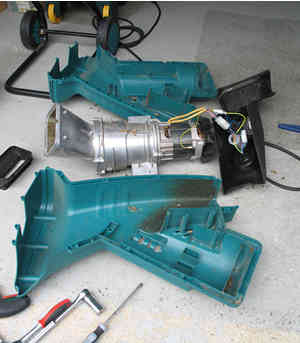
I talked to a couple of dealers and they told me that the cutter did not ever need sharpening as they were not designed to be particularly sharp; rather I should look at changing the nylon counter rotating wheel. This I did, although taking the machine apart was not particularly easy (despite my engineering experience) as various bolts holding it all together and shims had rusted. At the same time I also took the opportunity to clean up the cog’s cutting edges with a file.

I think that the performance did improve a bit, but it never returned to the as new condition.

After about three years the machine suddenly stopped working mid-session. I thought it might have been some sort of safety trip, but it proved to be more serious – the on/off switch had given out. The spare cost me £45 to buy, which I fitted myself.

After four years I still use it, but the rate of production has become too slow for the quantity of material we now produce – I measured the time taken to produce a tub of shreddings using pretty much ideal input; mostly Buddleia prunings that have matured for a couple of weeks. The 40l tub below took 20 minutes to produce.


The photo below shows what the shreddings look like in more detail.


When composted properly (as I will describe in more detail in a later posting) they help produce a sweet compost without any large bits in it direct from the bin like that shown on the fork below.


Conclusion
For most of the four years I have been very happy with the Scheppach Lonos 2 - it produced many m3 of shreddings that have composted down to produce good quality compost. Our garden has simply now outgrown the capacity of the machine. It is true that I have been disappointed by the reliability - I would not expect the switch to fail in this sort lifetime, but with a sample of one I don't think that I can draw any conclusions on the machine's reliability.

So for a garden of a bit smaller than a ¼ of an acre, with a reasonable amount of shrubs, but not loads of hedging, I think that this machine would be ideal. It should quietly chomp through most things that you will be able to throw into it.
Read more...

Lightroom - some useful keyboard shortcuts

I have been using Adobe Lightroom for a couple of months. There are plenty of lists of shortcuts around, but they tend to be too long to be useful. The most useful one I have found was in the back of John Beardsworth's book - Adobe Photoshop Lightroom: Digital Photographer's Guide. I have had to search about for a couple of others so here is a table of some useful keyboard shortcuts that I needed.


Keyboard shortcutDescription
F2
Rename selected file names
X
Mark selected images as
rejected
ctrl+G
Stack selected images
S
Open or close selected
stack of images
alt+0169
Code to insert “©” into copyright
notice etc
G
Switch to grid mode


Read more...

Sunday, 24 February 2008

Bosch AXT 18-35 quiet garden shredder review

This is the second of four reviews I shall be posting on my experience with garden shredders.

In early 2000 after my early experience with the small Al-Ko shredder I decided that shredding was a good idea, but I needed a much better machine if I was going to do much shredding without pulling all my hair out.


Drawing on my earlier experience I drew up a list of key purchase criteria, which were:
  • Able to shred soft as well as hard material
  • Easy to unclog if it clogs
  • Reasonably quiet and neighbour friendly
  • Cutting capacity of >30mm
  • Less than £250 (cheaper still if possible)
  • Easy to move around the garden
I had a look around the market and the quietness requirement seemed to be the determining factor – this limited the options to the low speed cog/drum cutters and Bosch’s spiral cutting system. At the time the cog/drum cutting system was fairly new on the market and there were only a few alternatives around. The only shredder that met my criteria was the Bosch AXT 18-35 (see photo below – not one of mine, but this one comes from Bosch publicity material for the current model which looks the same as mine), which is very similar to the current slightly more powerful Bosch AXT 2000 HP; even then it exceeded my budget by £10. The cog/drum based shredders were all considerably more expensive.

The shredder uses Bosch’s unique spiral cutting system (see diagram) with the cutting spiral working at the relatively low speed of about 160rpm. The “18” of the “18-35” model number indicated that it had a 1.8kw motor and the “35” of the “18-35” that the cutting capacity was 35mm. All the material to be shredded went into the same slot in the top of the machine.

It weighed in at around 23kg and its noise level was rated at about 84db. It proved easy to manoeuvre around the garden with its wheels and was blissfully quiet compared with the demented shriek I was used to hearing from the Al-Ko.It was also easy to catch the output in a bucket to keep the work area relatively tidy.


Performance when new
Not surprisingly the Bosch was immediately a massive improvement over the Al-Ko. It took in all sorts of material; the spiral cutter drawing the material into the machine, although it preferred relatively straight semi-ripe woody stems. It did block up with too much wet and soft material, but it was easy to unblock simply by reversing the spiral cutter’s direction. It was possible to jam the machine with dry hard wood, but again it was easy to clear out. I noticed that the rotary movement of the cutter tended to make long branches sticking out of the top of the shredder whip around a bit when not held, but that was never a real problem to me.

I have no record of how much it could munch through in an hour, but I did see a review in a paper suggesting that it was about half the speed of a drum/cog machine and I would not quarrel with that.

So I was happy – the machine produced good quality shreddings, relatively easily and quickly enough for my patience and the size of shredding piles we were creating.

How did it perform over time?
Well… after a Spring and a Summer happily shredding away I began to notice a significant fall off in performance. The shredder no longer drew material into it automatically and it was much more prone to blocking with fibrous material. The fibres tended to wrap themselves around the spiral cutter causing it to jam. Reversing it released it, but I had to put in some dry woody material to clear it out.

I talked to the dealer who supplied it to me and they exchanged it under warranty as it was not supposed to deteriorate like it had.

The new machine performed as the old one had when new (not surprisingly), but after a further year or so of use its performance too started to drop off in the same way. This time there was no chance of an exchange so after 18 months when it had become almost unusable I took it apart to check the spiral cutter. It looked OK, so I sharpened it with a file and put it back together again. (If you would like to see what it looks like inside then go to www.fredshed.co.uk for a photo of a disassembled machine).

It was definitely better, but the improvement did not last more than a couple of months before it was noticeably worse again. This time I investigated the possibility of getting a new spiral cutter unit, but if I did the work myself the spares cost was about half of a new machine, which did not seem to be a bargain. Getting it repaired by a Bosch approved technician was still more expensive.

I battled on and finally took it apart again to really work out what was going wrong. It looked to me as if it was not really the spiral cutter itself that was the problem, but rather a clearing blade at the end of the cutter that was blunt and bent. This meant that instead of clearing the material from the spiral it was smearing it back into it, clogging up the exit. There didn’t seem to be a repair solution for this as I could not take it apart, so only new parts would do.

Since the machine worked OK’ish, albeit very slowly, with mature woody material I soldiered on until 2004 before deciding that a new, quicker machine was needed as the garden was really increasing its production.

Conclusion
This sounds like a litany of woes, but I worked these machines quite hard in the time I had them and they were OK for much of the time. If you want a quiet, relatively low volume shredder to use a few days a year then this one would be OK. In the eight years since I bought mine it may have been improved and it is certainly cheaper than it was (around £200 now, compared to the £260 I paid for it eight years ago).
Read more...

Al-Ko H1100 electric garden shredder review

This is the first of four reviews I shall be posting on my experience with garden shredders over the next couple of weeks.

The aim of this review and the other garden shredders in this blog is to pass on my experience of the machines I have used. I have found it very difficult to get real advice on what machines are really like. I have found it a bit like trying to buy financial services – the only sources of advice seem be the dealers who sell them and there is little if any independent information around. Even with the internet there is not much review information around other than the odd newspaper or Consumers Association group tests. Usually these do not cover the machines I am interested in, nor do they offer anything other than a superficial comparison. My reviews aim to give more depth to the ones I have used.


Sometime around 15 years ago before garden shredders were an established product I saw a demonstration of a small Al-Ko electric shredder at a garden centre. I had not given much thought to how I prepared material for my compost bins until that moment – all I did was to chop it up into convenient lengths so that it fitted into the bins and wondered why the results were pretty average.

So I bought the shredder, an Al-Ko H1100 (see photo), to give it a go as the idea seemed sensible; it should save me time chopping up the woody bits and would ultimately make better compost. It had three spindly legs and the material was fed from the top, or for straight woody material into a side chute, into a rapidly rotating chipping knife with the material coming out the front; and it was orange.


What was it like to use?

The three spindly legs made it difficult to move around as the only way to do so was to lift it and it was an awkward shape to lift, although not particularly heavy. The infeed was small to avoid the chance of getting hands into the cutting blade so it was only possible to feed tiny handfuls of material into it.

It was very noisy – it emitted a high pitched electric motor shriek that was not at all neighbour friendly.

It was OK at chopping small diameter, straight, dry’ish woody material. Anything at all damp or soft very quickly clogged up the exit. There was no easy way to unclog it – I simply had to unscrew the top (with the thoughtfully supplied spanner) and clear out the offending material by hand. I probably had to do this about every 5 minutes if I was shredding anything remotely damp – it made shredding most things very time consuming and tedious. It certainly did not save me time…

The resulting shredded material, however, was well chopped, composted well and it did convert difficult to compost woody material into useful compost much quicker than before.

Conclusions
I had the shredder for about five years and as you may imagine did not use it for much other than the occasional ideal woody prunings. Luckily at this stage we were living with a small garden and when we moved to a much bigger garden (1/3rd of an acre) there was not much other than grass to worry about.

I did, however, learn quite a lot about what good shredded material could do in the compost and what to look for in a shredder. I was also convinced that a shredder was an excellent idea – they produce excellent compostable material, save many trips to the waste tip (and save the car interior from damage at the same time) and I discovered that producing tubs of evenly shredded material from a pile of thorny, woody material was a strangely satisfying thing to do.

After a couple of years in the new larger garden we started to produce piles of woody material that needed shredding and it was time to think about getting a much better shredder…

While I am sure that my experience with this machine designed and built around 15 years ago does not represent today’s machines at all it did remind me that you usually get what you pay for and that a better machine would cost more, whatever the state of technological development.
Read more...

Friday, 22 February 2008

Gardening - Composting and shredders

For the last 15-20 years I have been a keen recycler, especially in the garden. This means that I have spent a lot of time composting garden and kitchen waste of all types. During that time I have learnt how to make good sweet compost and worked out how important it is to shred as much of the materials as possible before composting it.


For the last ten years my wife and I have been progressively cultivating around 1/3rd of an acre of garden. Originally it was simply laid out to grass, but we have progressively put in beds, vegetable patches and hedges. Trees and shrubs have matured and the amount of organic material both produced and required by the garden has continually increased.

Over the next few weeks I plan to post articles on composting itself and my experience with four shredders that I have used over the last 15 years. While they will not be definitive reviews they will in report my real life experience with them, in some cases over several years of use.

I plan to write about how I get this:

to look like this:

Three of the four shredders I shall review I have owned and used over several years, the fourth petrol driven one I have managed to borrow:
  • A simple Al-Ko H1100 electric shredder - around 15 years ago
  • A Bosch ATX 18-35 Silent electric shredder - bought in 2000 and used for 4 years
  • A Scheppach Lonos 2 electric shredder - bought in 2004 and still in use
  • A Eliet Minor petrol shredder - recently (2008) borrowed for a couple of weeks
One thing I should make quite clear is that I have no connection in any way with any of the manufacturers of the equipment I shall comment on.
Read more...

Monday, 18 February 2008

Epson 4800 “Puddle Method” for clearing nozzle clogs

I have been experiencing serious nozzle outages with my Epson 4800 inkjet printer for sometime. If simple head cleaning cycles do not work one of the methods for clearing nozzle clogs them is the so called “Puddle Method”, which I have seen attributed to Scott Graham of the Yahoo Epson4000 forum. Here is how I use the method.


I learnt the basics of this method from several postings on the Yahoo Epson4000 • Epson 4000/4800/4880 Support Group and I shall try to answer some questions that I had along the way – but, while I use this method on my own machine I can not advise you to use it on yours – that choice is up to you.

Tools & materials needed:
  • 20 ml syringe with a plastic extension tube (Kwill) fitted
  • Distilled water
  • Torch

The Method:
  • Start with the print head parked to the right.

  • Turn the printer off.

  • Fill a syringe with 15 – 20 ml of distilled water.

  • Release the print head, either by using the command on the printer menu “Cutter replace => Exec” or by my preferred option of pressing in the spring loaded cutter release (the top of the light blue release arrowed in the photo below), and move it to the left as far as necessary to be able to get at the print head cap.


  • Identify the right place to puddle. In the photo below the print head cap is arrowed – this is where you want to create the puddle. The pad next to it is the Flushing box, also arrowed in the photo below (sometimes called the purge pad), which I assume is where the ink goes when you purge the lines for changing over between photo and matt black inks and run head cleaning cycles.


  • Gently squirt some distilled water into the cap and watch it leak away (it ends up in the maintenance tank). I do this several times until the cap looks clean – the distilled water washes out the pad leaving it fairly white. Then fill the cap to the brim. (See below for the photos of the process).


  • Quickly, before the puddle leaks away, move the print head back to the right until it clicks into place.

  • Turn the printer on and off again to make sure that the print head is properly parked and capped.

  • Leave for an hour or two, or however long it takes. I start at an hour and move up to leaving it overnight.

  • Turn the printer back on. Decline any offer to run auto nozzle checks or power cleans and run a normal clean cycle, then a nozzle check.

  • If this has not cleared the problem run another cleaning cycle and nozzle check.

  • It that does not work, then puddle again…

If the distilled water does not do the trick I then try Fixyourownprinter Epson inkjet head cleaning solution – I follow their instructions and use around 1 ml of solution, although I don’t follow their advice to run three cleaning cycles.

I follow the general advice from various on-line sources not to do more than two clean & nozzle check cycles without printing a full spectrum image (I use a RGB colour patch that I use for generating ICC profiles to make sure that all the colours are exercised) as many uninterrupted cycles can make the problem worse.

I am aware that there is quite a lot of controversy about what fluids to use (Windex is often mentioned but it is not available in the UK and I have certainly not tried anything other than distilled water and FYOP solution); whether it is better to leave the printer on or off etc, etc. This method works for me, but no doubt it will be refined further over time.

So far I have not yet failed to get my printer back to perfect nozzle checks, but it seems to be a basic design flaw with these printers that we should have to even consider this process, let alone do it routinely. I would truly love to find a solution to these recurrent problems and make this method redundant.

Still when working it does produce beautiful prints…
Read more...

Sunday, 17 February 2008

Update to Canon G9 RAW writing times...

In my earlier posting about my first impressions of the G9 I reported my experience with RAW file write times in single shot mode. I have since repeated the experiments in continuous mode.


The specifications suggest that the G9 ought to be able to reel off 1.5 frames a second in continuous mode with "fixed" focus - which I take to mean manual focus - and 0.7 frames per sec in continuous AF mode. Since I use RAW mode I was interested to see what times I would actually get.

Repeating the tests in both continuous AF and manual focus modes I found that with the Sandisk Extreme III SD card I was getting a shot every 1.5 secs (which is about 0.7 frames per sec), whereas with the much slower Toshiba SD card I was getting a shot at just under every 3 secs. So definitively here the card speed shows up. The faster card was yielding real world times twice that of the slower card.

I did not find any significant speed differences between
continuous AF and manual focus modes for either card, although I did sense that the time between the first and second shot was faster than subsequent shots with the Toshiba card. This would make sense if the buffer is large enough to accommodate a second shot, but that subsequent shot times are governed by card write times.
Read more...

Using Lightroom to produce image files for blog postings

I have been using Lightroom for a couple of months now and blogging for a few weeks. Being a photographer I want to include images in many of my posts. Before buying Lightroom I would have had to convert the RAW file and process it in Photoshop, but I thought it ought to be easier in Lightroom. So is Lightroom any good for this?


The short answer is - Yes.

Since I use RAW for nearly all my photography Lightroom allows me to take an unconverted RAW file, adjust it quite well enough for web viewing, then simply export it to a jpeg for uploading. It is quick and easy to do.

I make the adjustments I want to in the Develop module; then from the File drop down menu click on Export (see screen shot below).


Below are my Export settings, saved as a preset for producing blog images.


Most of the options are self-explanatory - My choices that I feel that may need some explanation are:
  • jpeg is the obvious format to save the image in and I have found a quality setting of 50% works well enough

  • I chose sRGB as the colour space as that is usually the recommended one for web viewing

  • I resize the image so that it is quite small, but not tiny with 500 pixels along the short edge

  • I set a resolution of 100 pixels per inch - 72 is often recommended, but screens vary and I have seen 100 recommended in preference to 72 by quite a lot of "experts" recently

  • I add in a © notice for my pictures - You can set up pretty much whatever you want to say in Lightroom and it puts it in white inside the image, in the bottom left hand corner

  • I chose to minimize embedded metadata at I don't see any benefit to including it

That's it - No need to convert to a TIF, or whatever your choice is, process it etc. Even using actions in Photoshop it would take me much longer and the © notice is an extra bonus, which again I can do in Photoshop but it would be a much more involved process.

All-in-all I am pretty happy to use Lightroom to produce images for blog postings from RAW files.

Read more...